Awesome Product
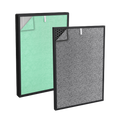
Just wish I didn’t have to change them once a month. Most of the time I will reset the button and use another month bc it can get pretty pricey.
Danni Hiles · May 2022
117 reviews customers wrote for our products, shown here as written. The average above is weighted by how many people rated each product, so a purifier with 600 ratings counts for more than a filter with twenty.
Just wish I didn’t have to change them once a month. Most of the time I will reset the button and use another month bc it can get pretty pricey.
Great foe airflow. Easy to clean. Very quiet.
Great Product
I bought this air purifier this past December. It worked wonderfully well from day one. Everything abut the product is as claimed. This was then one of the most satisfying purchases I have made in a long time. I love it! I keep the machine on for most of the day and through the night. A few weeks ago, however, I found the machine was "not on." I couldn't remember at the time if I had intentionally turned it off or not. Note that when the machine is plugged in, but not in the on position, I remember that the power on button being lit up. In this instance, however, it was not. So I tried to press the buttons, but the machine was non-responsive. After tconsulting the troubleshooting section of the manual and having no results, I reached out to customer service for help. A customer service rep, Alina, responded to me promtply. After some back and forth communication, trying to gtroubleshoot the product, without much effort from my end, Alina volunteered to replace my unit. There is much more to this story, but in the end, I just wanted to briefly share how satisfied I am with not just the product, but with this company. Thank you so much Alina and Treblab/Turonic for making a great product and standing behind it 100%. Yo have a customer for life!
I’ve only had this product for 3ish days. Best part humidifier and air purifier!! It’s so quiet as well. My husband was about 4-5 feet away from the machine. My St. Pyrenees shed a bunch of hair due to incoming snow storm. The light on the top went from green (great air quality) to blue (good air quality). It stayed that way for about 2-3 minutes and back to green. This dog breed in particular has a lot of dander. And this has made a world of difference in just 3ish days.
This unit works fairly well. It is very quiet, and the filters are easy to remove and clean. My only problem was that the low water level sensor only worked when the system was forced into Manual Humidification mode. I prefer to run the unit in Auto Mode. When the water tank goes empty, there is no alarm telling you this when in Auto mode. I never got a straight answer from tech support whether this was a defective unit or if it was designed this way. I returned the unit and did receive a full refund. I purchased the Dyson brand even though it cost twice as much
Good product but expensive.
Great Experience
Just like the original filter.
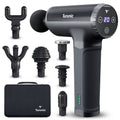
This is wonderful! The 5 speeds are all that’s necessary. Our family uses it several times a week and it really helps relax tight muscles and relieve minor pain. We don’t have any major pain, so I cannot address that. We have had it for 6 months. The battery charge lasts a good long time. I highly recommend this.
I ordered a defective device. The company was very understanding, helpful, and showed true concern about my purchase. I'm happy to say, I've received a brand new massager gun! I'm extremely satisfied with my device and the company.
So glad I spent more money and bought an excellent massager. This thing is professional quality. Substantial weight and feel, easy to change heads. Charges very quickly. Very nice carrying case, easy to use. 5 speed settings, led battery indicator and speed level. Wish I had bought it sooner! This is a prime example of 'you get what you pay for'.
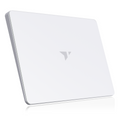
After having this touchpad for one day, I ordered a second one for my home office. There is no physical or haptic click on this unit, but I never pressed on my laptop touchpad to make it click either. Tap to click is not everyone's go to though and I thought it would be good to call that out. It works well with the provided dongle and with Bluetooth. I have 2 Windows laptops and it works well with both. It does not work with Linux for me, but I had no expectations that it would... just thought I'd mention it. The battery life has been great so far, using 7-10% per work day. That exceeded my expectations. I'm using this instead of a mouse or trackball and have loved the experience. I plan to pack this in my bag when traveling. It's so thin and lightweight, it will be a great travel companion.
I’ve been using the Turonic TP1 touchpad for my computer for a little while now and honestly I like it more than I expected. I usually work with a mouse, but I wanted something cleaner on my desk and this feels more like using a laptop trackpad, just bigger and more comfortable. The design is really nice — very slim, light, and modern looking. It doesn’t look cheap at all. The surface is smooth and my fingers glide easily, so scrolling and moving the cursor feels natural. I mostly use it for browsing, emails, documents, and basic everyday work, and for that it works perfectly fine. Setup was simple. I just connected it and it worked without any complicated steps. It also comes with a charging cable, which is good because I don’t like dealing with batteries. The battery life seems decent so far. One thing I like is that it doesn’t slide around on the desk because of the rubber pads underneath. It stays in place even when I’m using gestures. Gestures like scrolling and zooming work well, but of course it depends a bit on your computer settings. I wouldn’t say this is for heavy gaming or professional graphic design, but for regular office work, studying, or just everyday computer use, it’s very comfortable. It also looks good next to the keyboard and makes the setup feel more minimal. Overall, I’m happy with it. If you like laptop-style touchpads and want something simple, clean, and easy to use instead of a mouse, this is a nice option for the price.
Setup was quick and painless, paired over Bluetooth right away with no fuss. Multi-touch gestures like click, drag, right-click, and scroll all feel smooth and responsive on Windows, and being able to switch between devices is genuinely convenient if you split time between a desktop and laptop. For the price, the build quality is honestly better than I expected, it doesn't feel cheap or flimsy at all. The one caveat: it's not fully compatible with my MacBook. It connects and works, but not as seamlessly as on Windows, some gestures feel inconsistent. If you're primarily a Windows user, this is a great pick. Mac users might want to double-check compatibility before buying.
No reviews yet. Yours would be the first: see the product →
Amazing voice recorder. I love how easy it is to use it and how convenient to work with its app on the phone. The AI function is great. The re size itself is tiny and very intuitive to use. Like it very much
No reviews yet. Yours would be the first: see the product →
I bought the Turonic ST3 Steam Mop last month and have already used it several times—I have no complaints. The best part is that it is very simple to use. Thanks to the design with the detachable handle, I easily clean both floors and carpets. The steamer handles its job perfectly, delivering excellent results without excessive effort. I highly recommend this multifunctional model.
Awesome tool to have in your cleaning arsenal! I only wish there were more pads
So, it’s the best investment I have ever made. I love it so much. Now, cleaning the floors is much easier. It’s a must have if you have kids or pets! ;)
No reviews yet. Yours would be the first: see the product →
No reviews yet. Yours would be the first: see the product →
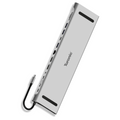
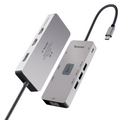
You are specifically this USBC hub for your laptop has tons of ports on the back. It plugs into your computer via usb c. There are two USB 2.0 ports on the back as well as one USB 3.0 Those three are type A There's a USBC for communication and a Power Delivery USB C on the back as well as AVGA in oxport for your speakers a big SD card reader as well as a smaller SD card reader and two HDMI ports. It's a very slim form factor I didn't notice quality loss of picture when I used it for my laptop to mirror to a big screen TV but then again I wasn't running any real high definition picture. This thing seems to be pretty good price point and a good value I would recommend it
The BYL-2003U2 Universal Docking Station 12-in-1 USB-C Hub is a well-built, high-quality device that greatly expands your computer’s connectivity. It offers a wide range of ports and functions, making it easy to connect multiple devices and peripherals at once. With multiple USB ports, video outputs, and broad compatibility with both Windows and macOS systems, it’s a versatile solution for multi-device setups. The inclusion of an Ethernet port is a big plus, providing a stable wired network connection and eliminating the need for extra adapters. For best performance, pairing it with a high-quality Ethernet cable (such as Cat8) can help maximize speed and reliability. By combining all these features into a single hub, it reduces cable clutter and simplifies your workspace. In daily use, it has been rock solid—plug-and-play with no issues. It immediately supported multiple displays, USB devices, and peripherals without any disconnects, flickering, or need for restarts. The ports are well arranged, the build feels sturdy, and it handles a mouse, keyboard, external drives, and display output simultaneously without lag. It’s especially convenient not having to constantly swap cables when switching between work and personal setups. Overall, this hub delivers a clean setup, stable performance, and a hassle-free experience—an excellent choice for anyone managing multiple devices.
I reviewed this hub because my wife's PC kept mysteriously crashing. As a backup, I connected an older laptop and required a good hub. The build is solid and feels like cold metal. It's constructed of high quality matierals as there are no squeaks, gaps, or warping in the product. I can say that I was impressed with it out of the box. It has a rather small footprint but packs in a ton of connections. This hub works powered or unpowered. This means you do not need to pass power through it for the HDMI or other ports to work. It accepts USB-C and delivers passthrough through all ports. When connecting to HMDI, I did not notice any additional lag. The image looked the ame going from the doc as it did directly from the laptop. The doc features two HDMI, one VGA, one aux, one USB-C, 2xUSB 2.0, 1xUSB 3.0, Aux, SD and Micro SD Card slots. It is packed to the gills with connection options but does lack a PD port. Overall, this doc is a great accessory if you often connect or disconnect to many external accessories. The footprint is small and the clean, sturdy chassis elicits a premium feel. It's highly functional with many different charging ports and they seem of acceptable quality.
No reviews yet. Yours would be the first: see the product →
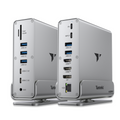
So far, the Turonic BYL-2519 Universal Docking Station system, which is a 15-in-1 USB 3.2 Hub, features Dual HDMI 4K@60Hz, DisplayPort 4K, 100W PD Charging, 1 GB Ethernet, and an SD/MicroSD Reader, all housed in aluminum with an included stand, is fantastic. This device includes one 100 W PD, SD and SD-Micro at 5 Gbps, one USB-A 3.0 at 5 Gbps, two USB-A 2.0 at 480 Mbps, two USB 3.2 at 10 Gbps, two HDMI ports at 4K 60Hz, USB-C 3.2 at 10 Gbps, DP at 4K 60 Hz, USB-C 3.0 at 5 Gbps, one Ethernet port at 1 Gbps, and one AUX port. This system provides every standard port you might need for the coming years. I have connected monitors, Ethernet, a mouse, external SSD drives, a tablet, a cell phone, and more, both on and off. Everything can operate or charge from one location. This setup is keeping my desk organized and making my life significantly easier. However, when multiple devices are connected, it may not charge as quickly, so if you need to charge your cell phone or portable charger rapidly, it's best to use your charger cord plugged directly into an AC outlet.
The Turonic BYL‑2519 Universal Docking Station is an excellent choice for anyone looking to expand their workspace and add multiple screens to their setup. It works with both Windows and Mac and can support up to three 4K monitors at 60Hz. The dock is small, sleek, and sits neatly on my desk without taking up much space. Setup is simple: just connect it to your laptop or desktop using the included USB‑C cable, then plug your monitors into the HDMI or DisplayPort ports. It also offers a great selection of additional ports, including Gigabit Ethernet, multiple USB‑A ports, an SD card reader, and a 3.5 mm headphone jack. After using it for several days, I’ve been very impressed with its performance. The video output is crisp and stable, and the dock has handled everything I’ve thrown at it—from video editing to gaming—without any issues. I also appreciate its versatility: it can run three 4K monitors or a mix of 4K and 1080p displays, depending on what I need. It manages multiple connected devices without drawing too much power, and overall, it’s a strong option for anyone wanting to expand their screen setup and boost productivity.
This is a review for the Turonic BYL-2519 Universal Docking Station, 15-in-1 USB 3.2 Hub, Dual HDMI 4K@60Hz, DisplayPort 4K, 100W PD Charging, 1Gb Ethernet, SD/MicroSD Reader, Aluminum Housing with Stand 6 May 2026 This is a very powerful hub/docking station. I am using it on my Windows 10 laptop and I am still exploring all the functions that this hub provides. It works like a super docking station for me. So far the performance has been rock solid. The fast charging functions are great and I have been using the SD card reading facility this last week. I think that this device is good value for money as it has made my pc setup so much easier.
This is a nice, compact device that turns one USB-C port into a 'multi-port' for several devices using ports to connect HDMI, USB 3.0, SD micro card reader and more. You can use it for both charging and data transfer, which is very convenient. I can use it with my desktop, laptop, iPad and Samsung phone, so it is a quite versatile all-in-one hub. Highly recommend.
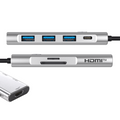
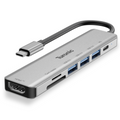
This Turonic BYL-2425 USB Hub, a USB-7 in 1 with 100 W, is the best USB hub I currently own. This USB-C Hub multiport adapter transforms a single USB-C port into HDMI 4K@60Hz, three USB 3.0 5Gbps ports, an SD/MicroSD reader, and offers 100W PD pass-through for both charging and data transfer. It's compact, lightweight, and well-made. Although the cord is shorter than I would like, it's common for most USB hubs to have short cords. This HUB can transfer data at speeds of up to 5 Gbps and is claimed to be ten times faster than USB 2.0. I don't stress about speed; as long as my data is transferred accurately, I'm satisfied. Additionally, it features both an SD and a microSD slot, and it supports up to 100W PD pass-through (20V/5A), enabling you to charge your laptop while using all connected devices.
This Turonic BYL-2425 USB Hub is just what was needed. Laptops never come with enough. This comes with pretty much the rest of what you need. Extra USB, SD/MicroSD reader, HDMI, and a 100W PD pass-through for charging and data transfer. It seems durable, it is lightweight and compact, and has an On/Off option. This thing seems to make up for what laptops are missing. Solid option if you need one.
I’ve found this USB-C hub to be a practical solution for both work and travel. It allows me to connect multiple devices at once, including an external display, USB accessories, and storage cards, all through a single port. The HDMI output works well for presentations and extended desktop use, and the performance has been consistent during daily tasks. The slim design makes it easy to carry in a bag, and the metal housing gives it a durable feel. Overall, it’s a compact hub that covers most essential connectivity needs.
I picked this up to expand the ports on my laptop and it has been performing exactly as advertised. The build quality is better than I expected for the price. It has a sleek aluminum housing that feels sturdy enough to toss in a bag without worrying it'll get crushed or dented. The 100W Power Delivery pass-through is the real standout feature here. A lot of these slimmer hubs claim high power delivery but then struggle to actually keep the laptop charged while running a monitor and peripherals. I am seeing full power draw even with multiple ports occupied. The 4K HDMI output is crisp and I haven't noticed any flickering or lag during video playback. The SD card slots are also a nice touch for quickly moving photos over. One thing to keep in mind is that the aluminum body is designed to act as a heat sink. This means it can get quite warm to the touch when you are utilizing the 100W PD and the HDMI port at the same time. Don't be suprised if it feels hot after an hour of use. This is actually a sign that it is effectively moving heat away from the internal chips to prevent throttling. The USB 3.0 port provides decent data transfer speeds. I tested it with an external SSD and the speeds were consistant. It is a very slim design so it fits right into a pocket or a small tech pouch. Overall it is a reliable piece of kit if you need to turn one USB-C port into a full workstation. I am confused about whether it's 3.2 or 3.0 though since they list 3.2 in the title but not on the unit. Most people don't realize that using a USB hub with power delivery actually consumes a small amount of that power (usually around 5W to 15W) just to run the hub's internal hardware. So if you plug in a 100W charger, your laptop might only report receiving about 85W to 90W.
I love computers and technology but unfortunately they are making them with less ports. I like to have a separate mouse and keyboard. I also have a scanner attached to the computer. I know they have Bluetooth mice available now, but honestly always liked having the dongle. Well, how can you attach all of those things when you only have one port and one usb-c. This little gadget right here. There are 3 USB's on this, it also has a card reader (which I have not tried yet) and an HDMI port (which i haven't needed yet). There 3 USB's alone make this thing worth it for me. It connects everything to computer flawlessly through the USB-C port. It works great. If you need something to connect all of your devices to your computer, here ya go.
No reviews yet. Yours would be the first: see the product →
No reviews yet. Yours would be the first: see the product →
No reviews yet. Yours would be the first: see the product →
No reviews yet. Yours would be the first: see the product →
No reviews yet. Yours would be the first: see the product →
No reviews yet. Yours would be the first: see the product →
No reviews yet. Yours would be the first: see the product →
No reviews yet. Yours would be the first: see the product →
No reviews yet. Yours would be the first: see the product →
No reviews yet. Yours would be the first: see the product →
No reviews yet. Yours would be the first: see the product →
This is a solid USB-C docking station that covers most of the basics well. I like that it includes three full-size USB-A ports and dual HDMI outputs, which makes it easy to connect multiple peripherals and displays without extra adapters. One of the first things I noticed was how "heavy" this is - clearly built from quality components and with an all-metal case. Video output has been stable, and the dock works well for extending my desktop across multiple monitors. The build quality also feels good, with a compact design that’s easy to keep on a desk or take on the go. My main complaint is the lack of a USB-C data port. It does have USB-C for power delivery input, but it would have been nice to have at least one USB-C port for accessories or newer devices. Overall, a reliable and well-rounded dock for everyday use, just slightly limited in future-proofing due to the missing USB-C data port.
The Awesome Computer Multi‑Hub Connection Adapter is a versatile and powerful tool for anyone looking to expand their computer’s connectivity. It offers a wide range of ports and functions, allowing you to connect multiple devices and peripherals at once. With multiple USB ports, video output options, and broad compatibility across PCs, it greatly enhances flexibility—especially when adding extra monitors. The built‑in Ethernet port is a valuable addition for users who prefer or require a wired network connection. Pairing it with a high‑quality Cat8 Ethernet cable helps ensure maximum speed and stability. By combining all these features into a single hub, it reduces the need for multiple adapters and keeps your setup clean, fast, and fully functional. I’ve been using this USB‑C docking station in my daily setup, and it has been rock‑solid. After plugging it into my laptop, all my displays, USB devices, and peripherals connected instantly with no issues—no random disconnects, no flickering screens, and no rebooting rituals. The ports are well‑arranged, the build feels sturdy, and it handles my mouse, keyboard, external drives, and display output simultaneously without lag. It’s especially convenient not having to swap cables when switching between work and personal use. If you need a reliable USB‑C hub for a multi‑screen setup and want something that performs exactly as advertised, this one delivers. Clean setup, stable performance, and zero headaches so far.
Works perfectly and made of good quality materials! Plugs in as a C and has 2 HDMI plug-ins, 3 USB plug-ins, 1 C plug-in, and one DP plug-in. Oh yeah and don’t forget telephone jack plug in or Internet/ethernet.
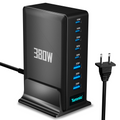
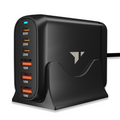
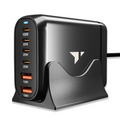
Every consumer electronic device I buy comes with a USB-A to USB-C cable for power or to recharge the internal battery. For years, I have used wall sockets that have USB-A ports to deliver DC power. But now there are a plethora of portable power chargers that has changed the way I charge my device. These chargers have more than two ports so I can charge a few devices. One port of the Turonic can deliver 100 W of power making for speedy re-charge. Each port is labeled with its power capacity. Power input can range from 110 to 220V AC. But the mains cable it comes with is US 110V. I suppose a different cable is used for shipments to other countries. The Turonic is a small device barely larger than my hand. It comes with a stand so it does not flop around on my desk. The setup requires neatness to look like the marketing photos. Otherwise it can be a messy jumble of charging cables. I hooked up my Macbook, iPhone, Apple Watch and a flashlight to be charged. Nothing bogged down and I got the charge time I expected. This product puts out a lot of juice. The issue of price must be considered. The Turonic is twice the price of its peers. I don’t know why this is so. I give this unit a B+ rating as it is a good product albeit having a higher price than other chargers that provide the same level of performance.
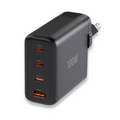
I abhor clutter and the proliferation of charging cables and chargers in our daily lives can be overwhelming. This little desktop charger is perfect for my desktop. It is compact, but very sturdy and definitely 'feels' well made. It charges fast and accommodates 2 USB-As and 4, count them, FOUR USB-C outlets! As a bonified 'gadget guy', I have used a LOT of chargers, and this one is near or at the top of my favorites list!
This charging station has completely cleaned up my desk and made powering all my devices so much easier. The combination of 4 USB-C and 2 USB-A ports is perfect—I can charge my laptop, phone, tablet, earbuds, and more all at the same time without juggling adapters. The 100W USB-C fast charging is a huge plus. My laptop charges just as quickly as it does with the original charger, which I didn’t expect from a multiport hub. Even with multiple devices plugged in, everything charges efficiently without noticeable slowdowns. I also really like the compact design with the stand—it keeps cables organized and takes up very little space on my desk. It feels sturdy and well-built, and it doesn’t overheat, even during heavy use. Overall, this is a powerful, reliable, and super convenient charging solution. If you have multiple devices and want a clean setup with fast charging, this is definitely worth it!
Just wish I didn’t have to change them once a month. Most of the time I will reset the button and use another month bc it can get pretty pricey.
I bought this air purifier this past December. It worked wonderfully well from day one. Everything abut the product is as claimed. This was then one of the most satisfying purchases I ...
Good product but expensive.