

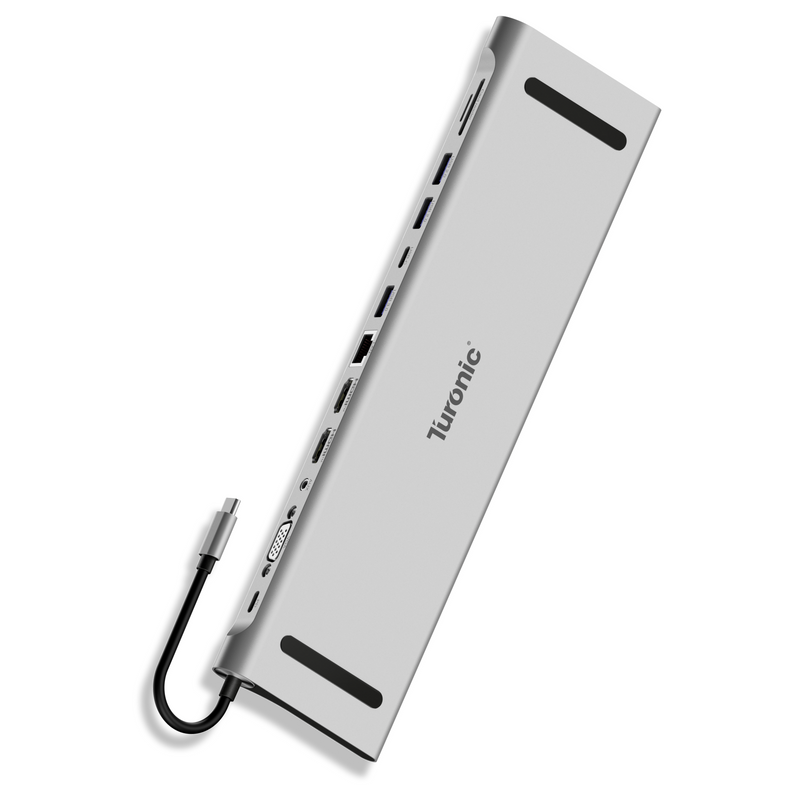
This is a solid USB-C docking station that covers most of the basics well. I like that it includes three full-size USB-A ports and dual HDMI outputs, which makes it easy to connect multiple peripherals and displays without extra adapters. One of the first things I noticed was how "heavy" this is - clearly built from quality components and with an all-metal case. Video output has been stable, and the dock works well for extending my desktop across multiple monitors. The build quality also feels good, with a compact design that’s easy to keep on a desk or take on the go. My main complaint is the lack of a USB-C data port. It does have USB-C for power delivery input, but it would have been nice to have at least one USB-C port for accessories or newer devices. Overall, a reliable and well-rounded dock for everyday use, just slightly limited in future-proofing due to the missing USB-C data port.


Turonic Universal Docking Station 8-in-1 (BYL-2401)
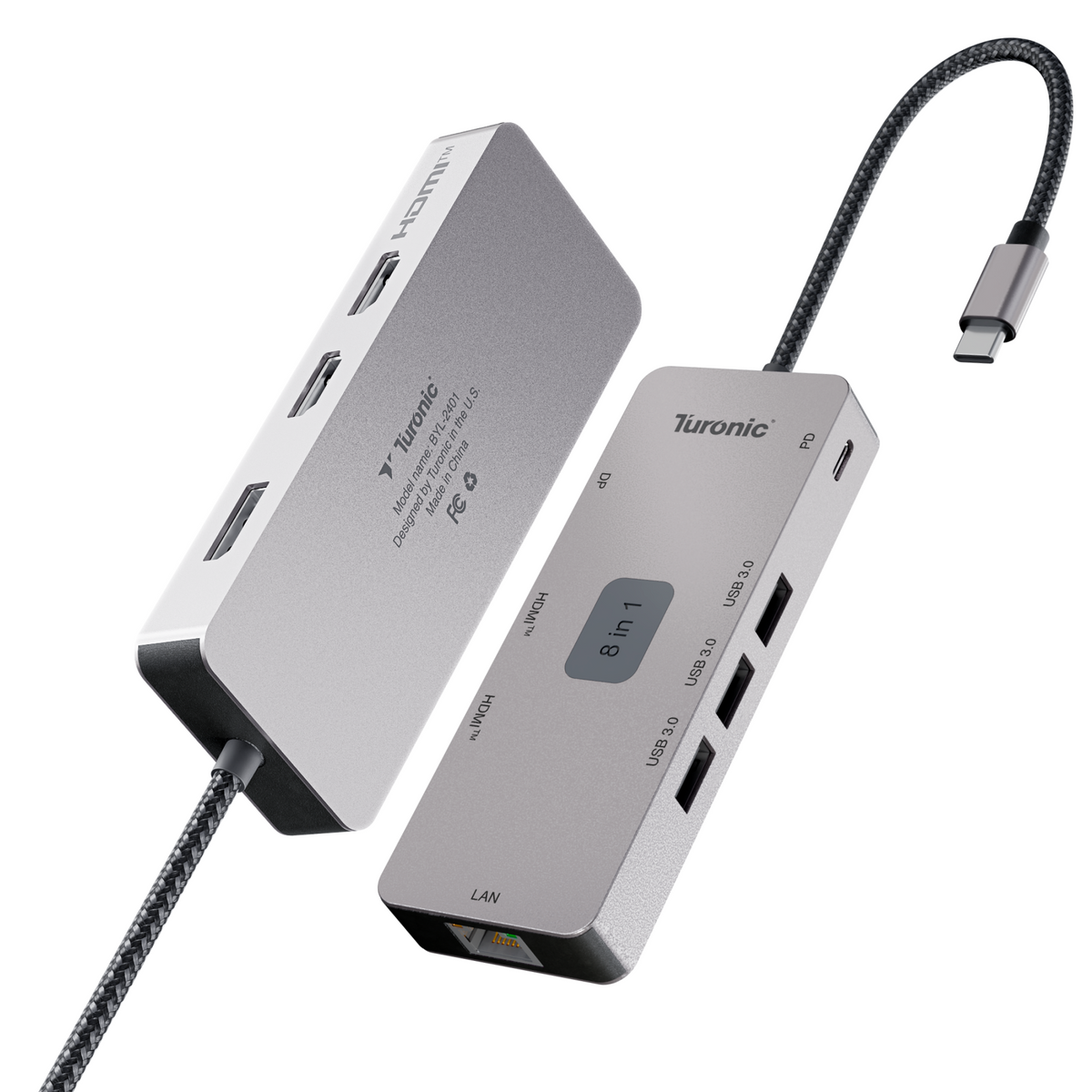
USBC docking station expands one USB-C port into 8 essential connections including HDMI™, DP, Ethernet, USB-A and 100W PD, delivering reliable performance for daily work, travel and home use. Computer docking station dual monitor supports dual HDMI™ plus DisplayPort output, enabling smooth extended or mirrored displays with up to 4K@60Hz for productivity, … Show more →
Technical Specifications
In the Box
Questions about this product? Contact support or browse the FAQ.
- USBC docking station expands one USB-C port into 8 essential connections including HDMI™, DP, Ethernet, USB-A and 100W PD, delivering reliable performance for daily work, travel and home use.
- Computer docking station dual monitor supports dual HDMI™ plus DisplayPort output, enabling smooth extended or mirrored displays with up to 4K@60Hz for productivity, multitasking and presentations.
- Laptop docking station USB-C delivers up to 100W pass-through charging while transferring data at 5Gbps via three USB-A ports, keeping laptops powered, connected and clutter-free during work sessions.
- Dual HDMI™ docking station provides stable video output with HDMI™ and DP 1.2, supporting 4K@60Hz and high-refresh modes for sharp visuals and smooth motion across multiple screens.
- Compact aluminum housing with 143mm integrated cable, built for efficient heat dissipation, reduced cable strain, and reliable long-term everyday use.
The Turonic BYL-2401 PC docking station is designed to turn a single USB-C connection into a powerful 8-in-1 workspace solution for home, office, or travel. Built with a durable aluminum and plastic housing, it delivers stable performance and long-term reliability for everyday use. This USB-C multiport adapter supports dual HDMI™ and DisplayPort output, enabling extended or mirrored displays with up to 4K@60Hz resolution. Whether you are multitasking, presenting, or editing content, visuals stay sharp and smooth across multiple screens. As a computer Hub docking station, it features three USB-A 3.0 ports with 5Gbps data transfer for peripherals, plus Gigabit Ethernet for fast and stable wired internet. The integrated USB-C Power Delivery port delivers up to 100W (20V/5A) pass-through charging to keep laptops powered while in use. With HDMI™ and DP 1.2 support, this docking station is ideal for professional dual-screen workflows, productivity setups, and modern USB-C laptops. Broad compatibility with Mac, Windows, Android, and iPhone devices makes setup fast and hassle-free. Includes a 143mm integrated cable.
The rows where these models actually differ come first, with a dot on every value that is not the same as this page’s. Everything under the divider is identical on all of them.
| Turonic Universal Docking Station 8-in-1 (BYL-2401) This page | Turonic USB-C Hub 7-in-1 (BYL-2425) | Turonic Universal Docking Station 12-in-1 (BYL-2003U2) | |
|---|---|---|---|
| Price | $79.97 | $49.99 | $89.97 |
| Rating | 4.2 (16) | 4.8 (15) | 4.4 (24) |
| Ports | 8-in-1 | 7-in-1 | 12-in-1 |
| HDMI™ Output | 2× HDMI™: 4K@60Hz | 1× HDMI™: 4K@60Hz / 1080p@120Hz | 2× HDMI™: 4K@30Hz / 1080p@60Hz |
| DisplayPort | 1× DisplayPort 1.2: 4K@60Hz | – | – |
| USB-A Ports | 3× USB 3.0 (5 Gbps) | 3× USB 3.0 (5 Gbps) | 1× USB 3.0 (5 Gbps) + 2× USB 2.0 (480 Mbps) |
| Ethernet | Yes, 1 Gbps | – | Yes, up to 100 Mbps |
| Material | Aluminum + Plastic | Aluminum + Plastic | – |
| Cable | 5.63 in (143 mm) integrated | 5.63 in (143 mm) integrated | – |
| Same on every model | |||
| PD Pass-Through | Up to 100 W | ||
| Add to cart | View | View | |
Scroll the table sideways to see every model.
Related products
Customer reviews
7 reviews customers wrote for this product.
Got this for my teen who uses a Mac book pro. He uses it mostly to plug in his flash drive but it has many useful ports. It helps him to access his files quickly. Hasn’t had any trouble with it at all and it has been a helpful device. He especially likes that it has an Ethernet port. Plug and play right out of the box. Cord is a little stiff but very happy and high quality product.
The Awesome Computer Multi‑Hub Connection Adapter is a versatile and powerful tool for anyone looking to expand their computer’s connectivity. It offers a wide range of ports and functions, allowing you to connect multiple devices and peripherals at once. With multiple USB ports, video output options, and broad compatibility across PCs, it greatly enhances flexibility—especially when adding extra monitors. The built‑in Ethernet port is a valuable addition for users who prefer or require a wired network connection. Pairing it with a high‑quality Cat8 Ethernet cable helps ensure maximum speed and stability. By combining all these features into a single hub, it reduces the need for multiple adapters and keeps your setup clean, fast, and fully functional. I’ve been using this USB‑C docking station in my daily setup, and it has been rock‑solid. After plugging it into my laptop, all my displays, USB devices, and peripherals connected instantly with no issues—no random disconnects, no flickering screens, and no rebooting rituals. The ports are well‑arranged, the build feels sturdy, and it handles my mouse, keyboard, external drives, and display output simultaneously without lag. It’s especially convenient not having to swap cables when switching between work and personal use. If you need a reliable USB‑C hub for a multi‑screen setup and want something that performs exactly as advertised, this one delivers. Clean setup, stable performance, and zero headaches so far.
Works perfectly and made of good quality materials! Plugs in as a C and has 2 HDMI plug-ins, 3 USB plug-ins, 1 C plug-in, and one DP plug-in. Oh yeah and don’t forget telephone jack plug in or Internet/ethernet.
The Turonic BYL-2401 has proven to be a reliable solution for streamlining my desktop setup. The aluminum housing feels substantial and does a good job of dissipating heat during extended use on my desk. I found the dual HDMI and DisplayPort options particularly beneficial, as they allowed me to set up my multiple monitors with different interfaces. The 100W Power Delivery pass-through is a standout feature, letting me power my laptop without the external power supply. Its compact design and integrated cable make it easy to pack for travel without sacrificing the convenience of a docking station. This hub is a versatile and high-performing tool for anyone needing to maximize the utility of a single USB-C port.
I have owned several of the cheap plastic versions of this type of adapter. I always needed a backup because the adapter inadvertently failed leaving me frustrated at having to interrupt my presentation. This is the perfect solution and also allows for multiple connections. The main feature is the built in power supply which keeps my tablet fully charged resulting in worry free functional operation. The build quality of this device is superb and has a rugged professional appearance.
🟢 FIRST IMPRESSION A fairly typical USB-C hub in a clean aluminum housing. Nothing flashy, nothing confusing — just a straightforward 8-in-1 layout that looks familiar if you’ve used similar docks before. ⭐ WHAT STANDS OUT The main strength here is display support. Running two 4K monitors over HDMI worked without issues in my setup, and overall stability was solid. For basic multi-monitor work, it does what it’s supposed to do. The build quality is decent as well — aluminum housing helps with heat dissipation and gives it a more durable feel than plastic alternatives. 🧩 REAL-WORLD USE In daily use, it behaves like a standard hub with a strong focus on video output. I tested it with dual 4K displays, and everything ran smoothly — no signal drops or obvious glitches. At the same time, the unit does get noticeably warm during operation, especially when multiple outputs are active. One thing I noticed: as soon as I connected LAN via the RJ-45 port, the heat increased quite a bit. Not unusual for compact hubs, but definitely noticeable compared to using it without Ethernet. As for the USB side of things, it’s limited to 5Gbps (USB 3.0), which today feels more like a basic peripheral tier — fine for keyboards, mice, or occasional flash drives, but not something I’d rely on for faster storage workflows. ⚙️ ROOM FOR IMPROVEMENT — USB-A ports are limited to 5Gbps (USB 3.0), which feels outdated today — Noticeable heat buildup under load, especially with Ethernet connected — Price positioning doesn’t quite match the specs compared to newer 10Gbps hubs 🎯 BOTTOM LINE A reliable display-oriented hub that works—but doesn’t really move forward with current standards. • Stable dual 4K monitor support • Clean aluminum build • Gets warm during heavier use • Runs noticeably hotter when using Ethernet • USB performance feels dated (5Gbps) • Better options exist with faster ports in the same category Works fine if your priority is display output, but as an all-around hub, it feels a generation behind.